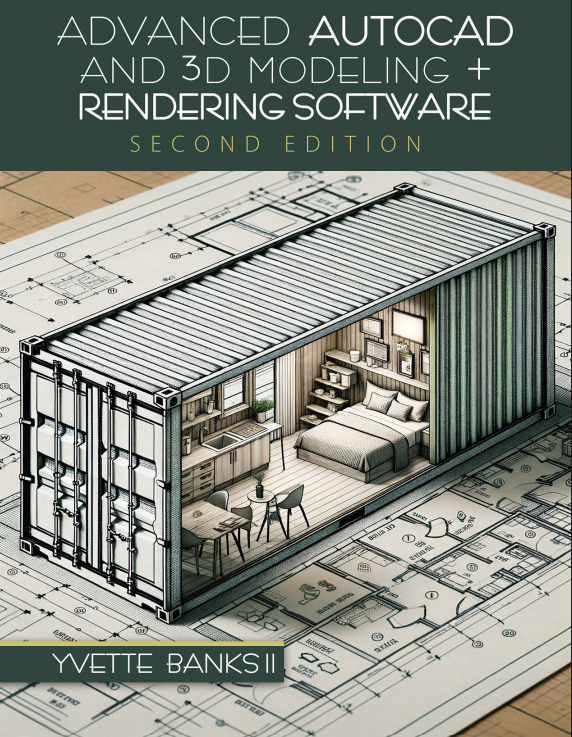
Advanced AutoCAD and 3D Modeling + Rendering Software

Author(s): Yvette Banks

Edition: 2

Copyright: 2024

Pages: 150

Choose Your Format

Choose Your Platform | Help Me Choose

Ebook

$85.00 USD

ISBN 9798385138562

Details Electronic Delivery EBOOK 180 days

Continuing your education in the design field is always exciting and beneficial. If you looking to advance your knowledge in creating a design and producing full client document sets with amazing 3D views and renderings ready for construction, this textbook is your source.

This book walks you through the process of understanding how to implement standards that many companies have when creating drawing document files. It also introduces two 3D softwares that are commonly used in the design industry and explores industry used rendering techniques.

Focused on a Shipping Container Design Project, students will have the opportunity to think and design creatively for a small space. AutoCAD, Google SketchUp and Photoshop are all brought to students in an easy approach with step-by-step instructions, exercises and tutorials. 

The intent of this textbook is to bring together all previously learned AutoCAD and Interior Design skills and add additional knowledge for the future designer that is ready to work with clients on major projects. Upon completion, you will be ready to provide any client with detailed AutoCAD documents and stunning 3D realistic rendered images of their spaces.

Required Knowledge and Tools: 

  • Previous basic AutoCAD experience
  • Created for Interior Designers and classroom use
  • Focused around a Shipping Container Design Project
  • Google SketchUp required
  • Adobe Photoshop required

Acknowledgments 
About the Author 
Book Description 
Preface 

CHAPTER 1 Meet AutoCAD (AutoCAD Reintroduced) 
Chapter Objectives 
Introduction 
I. AutoCAD Application Menu 
II. Exploring the Ribbon 
III. Drawing Organization 
IV. Manually Typing Commands 
V. What’s the Status 
VI. Opening Drawing Tabs 
Chapter Summary 
Vocabulary 
Navigating AutoCAD Quick Self-Check 
End of Chapter Self Review Tests 

CHAPTER 2 Exercises Running a Few Basics 
Chapter Objectives 
Introduction 
Exercise #1 – Create a New Drawing File and Save It 
Exercise #2 – Set your UNITS to Architectural 
Exercise #3 – Drawing Shapes 
Exercise #4 – Drawing Shapes with Curves 
Exercise #5 – Added Shapes with Curves 
Exercise #6 – Additional Helpful Blocks 

CHAPTER 3 Design Prep Work Recap
Chapter Objective 
Introduction 
I. Setting Up Layers 
II. Setting Up Dimensions Styles 
III. Setting Up Text Styles 
IV. Setting Up Blocks 
V. Creating Standards File 
Additional Tutorials tips and tricks for advancing your AutoCAD 
Chapter Summary 
Vocabulary 
Chapter Self Review Tests 

CHAPTER 4 Exercises Shipping Container File Setup 
Chapter Objectives 
Introduction 
Exercise #7 – Drawing File and Layer Properties 
Exercise #8 – Text Properties 
Exercise #9 – Dimension Properties 
Exercise #10 – Multileader Dimension Properties
Exercise #11 – Save/Create Drawing Template 
BONUS EXERCISE #12 – Draw and Set 

CHAPTER 5 Creating Schedules and Rendering in AutoCAD 
Chapter Objectives 
Introduction 
Table Command 
Rendering in AutoCAD 
Chapter Summary 
Chapter Self Review Test 
Personal Drawing Assessment 1
Personal Drawing Assessment 2

CHAPTER 6 Project 1 – Shipping Container Design Layout 
Chapter Objectives 
Introduction 
The Project 
Getting Started 
Additional Project Tools and Notes 
Additional Help Tutorials

CHAPTER 7 Introduction to SketchUp 
Chapter Objectives 
Introduction 
I. What is SketchUp? 
II. Accessing SketchUp 
III. Basics of SketchUp 
IV. Make-Up of SketchUp Modeling 
V. SketchUp Quick Navigation Tools 
Chapter Summary 
Vocabulary 
Chapter Self Review Tests 
Navigating SketchUp 

CHAPTER 8 Designing with SketchUp 
Chapter Objectives 
Introduction 
I. Setting Up SketchUp 
Exercise #1 – SketchUp Launch 
II. SketchUp Skills of Tools and Precision Modeling Skills 
Exercise #2 – Drawing an Accurate Shape in SketchUp 
III. Modifying Models/Objects 
Exercise #3 – Practicing with Rotation Tool 
IV. Applying Color and Materials to Models 
V. Adding Photos to a Face 
VI. Going from 2D to 3D 
Exercise #4 – Practicing 3D Modeling 
VII. Additional Drawing Tools 
Chapter Summary 
Vocabulary 
Chapter Self Review Tests 
Chapter Review Short Answer Questions 
Personal Drawing Assessment 1
Personal Drawing Assessment 2

CHAPTER 9 Project 2 – Shipping Container 3D Design 
Chapter Objectives 
Introduction 
I. Model Organization in SketchUp 
II. SketchUp’s’ 3D Warehouse 
III. Exporting and Importing Models 
IV. Introduction to Moving thru a SketchUp Model 
V. Understanding Section Cut Planes 
VI. Printing SketchUp Models 
Summary 
Vocabulary 
The Project: Shipping Container 3D Design 
Getting Started 
Addition Project TIPS and Notes 

CHAPTER 10 Introduction to Photoshop 
Chapter Objectives 
Introduction 
I. Getting Started in Photoshop 
EXERCISE #1 – Insert Images to Photoshop 
II. Photoshop Tools 
III. Controlling Photoshop 
IV. Everything Layers 
V. Additional Layer Points 
Exercise #2 – Photoshop Practice 
Summary 
Vocabulary 
Chapter Self Review Tests 

PHOTOSHOP TOOLS Photoshop Tools Defined 

CHAPTER 11 Project 3 – Shipping Container 3D Rendering 
Chapter Objectives 
Introduction 
The Project 
Getting Started 
Additional Project Tools and Notes 

VOCABULARY

Yvette Banks

Yvette Banks II is an Interior Design Professor and Interior Design business owner who hold degrees in both Architecture and Interior Design.

Yvette has worked in the design industry practicing Space Planning, Occupancy Planning, Furniture Merchandising and Marketing where she has worked closely with homeowners, investors, and business owners, to extend her aesthetic desires to design for commercial and residential spaces.  

Yvette’s diligence in the design profession and passion for creating environments is what lead her into the classrooms where has taught many Interior Design and AutoCAD for Interior Design courses.

Yvette holds a seat on a College Advisory Board where she contributes to the advancements of the college and the Interior Design Program through group collaborations and discussions.

Continuing your education in the design field is always exciting and beneficial. If you looking to advance your knowledge in creating a design and producing full client document sets with amazing 3D views and renderings ready for construction, this textbook is your source.

This book walks you through the process of understanding how to implement standards that many companies have when creating drawing document files. It also introduces two 3D softwares that are commonly used in the design industry and explores industry used rendering techniques.

Focused on a Shipping Container Design Project, students will have the opportunity to think and design creatively for a small space. AutoCAD, Google SketchUp and Photoshop are all brought to students in an easy approach with step-by-step instructions, exercises and tutorials. 

The intent of this textbook is to bring together all previously learned AutoCAD and Interior Design skills and add additional knowledge for the future designer that is ready to work with clients on major projects. Upon completion, you will be ready to provide any client with detailed AutoCAD documents and stunning 3D realistic rendered images of their spaces.

Required Knowledge and Tools: 

  • Previous basic AutoCAD experience
  • Created for Interior Designers and classroom use
  • Focused around a Shipping Container Design Project
  • Google SketchUp required
  • Adobe Photoshop required

Acknowledgments 
About the Author 
Book Description 
Preface 

CHAPTER 1 Meet AutoCAD (AutoCAD Reintroduced) 
Chapter Objectives 
Introduction 
I. AutoCAD Application Menu 
II. Exploring the Ribbon 
III. Drawing Organization 
IV. Manually Typing Commands 
V. What’s the Status 
VI. Opening Drawing Tabs 
Chapter Summary 
Vocabulary 
Navigating AutoCAD Quick Self-Check 
End of Chapter Self Review Tests 

CHAPTER 2 Exercises Running a Few Basics 
Chapter Objectives 
Introduction 
Exercise #1 – Create a New Drawing File and Save It 
Exercise #2 – Set your UNITS to Architectural 
Exercise #3 – Drawing Shapes 
Exercise #4 – Drawing Shapes with Curves 
Exercise #5 – Added Shapes with Curves 
Exercise #6 – Additional Helpful Blocks 

CHAPTER 3 Design Prep Work Recap
Chapter Objective 
Introduction 
I. Setting Up Layers 
II. Setting Up Dimensions Styles 
III. Setting Up Text Styles 
IV. Setting Up Blocks 
V. Creating Standards File 
Additional Tutorials tips and tricks for advancing your AutoCAD 
Chapter Summary 
Vocabulary 
Chapter Self Review Tests 

CHAPTER 4 Exercises Shipping Container File Setup 
Chapter Objectives 
Introduction 
Exercise #7 – Drawing File and Layer Properties 
Exercise #8 – Text Properties 
Exercise #9 – Dimension Properties 
Exercise #10 – Multileader Dimension Properties
Exercise #11 – Save/Create Drawing Template 
BONUS EXERCISE #12 – Draw and Set 

CHAPTER 5 Creating Schedules and Rendering in AutoCAD 
Chapter Objectives 
Introduction 
Table Command 
Rendering in AutoCAD 
Chapter Summary 
Chapter Self Review Test 
Personal Drawing Assessment 1
Personal Drawing Assessment 2

CHAPTER 6 Project 1 – Shipping Container Design Layout 
Chapter Objectives 
Introduction 
The Project 
Getting Started 
Additional Project Tools and Notes 
Additional Help Tutorials

CHAPTER 7 Introduction to SketchUp 
Chapter Objectives 
Introduction 
I. What is SketchUp? 
II. Accessing SketchUp 
III. Basics of SketchUp 
IV. Make-Up of SketchUp Modeling 
V. SketchUp Quick Navigation Tools 
Chapter Summary 
Vocabulary 
Chapter Self Review Tests 
Navigating SketchUp 

CHAPTER 8 Designing with SketchUp 
Chapter Objectives 
Introduction 
I. Setting Up SketchUp 
Exercise #1 – SketchUp Launch 
II. SketchUp Skills of Tools and Precision Modeling Skills 
Exercise #2 – Drawing an Accurate Shape in SketchUp 
III. Modifying Models/Objects 
Exercise #3 – Practicing with Rotation Tool 
IV. Applying Color and Materials to Models 
V. Adding Photos to a Face 
VI. Going from 2D to 3D 
Exercise #4 – Practicing 3D Modeling 
VII. Additional Drawing Tools 
Chapter Summary 
Vocabulary 
Chapter Self Review Tests 
Chapter Review Short Answer Questions 
Personal Drawing Assessment 1
Personal Drawing Assessment 2

CHAPTER 9 Project 2 – Shipping Container 3D Design 
Chapter Objectives 
Introduction 
I. Model Organization in SketchUp 
II. SketchUp’s’ 3D Warehouse 
III. Exporting and Importing Models 
IV. Introduction to Moving thru a SketchUp Model 
V. Understanding Section Cut Planes 
VI. Printing SketchUp Models 
Summary 
Vocabulary 
The Project: Shipping Container 3D Design 
Getting Started 
Addition Project TIPS and Notes 

CHAPTER 10 Introduction to Photoshop 
Chapter Objectives 
Introduction 
I. Getting Started in Photoshop 
EXERCISE #1 – Insert Images to Photoshop 
II. Photoshop Tools 
III. Controlling Photoshop 
IV. Everything Layers 
V. Additional Layer Points 
Exercise #2 – Photoshop Practice 
Summary 
Vocabulary 
Chapter Self Review Tests 

PHOTOSHOP TOOLS Photoshop Tools Defined 

CHAPTER 11 Project 3 – Shipping Container 3D Rendering 
Chapter Objectives 
Introduction 
The Project 
Getting Started 
Additional Project Tools and Notes 

VOCABULARY

Yvette Banks

Yvette Banks II is an Interior Design Professor and Interior Design business owner who hold degrees in both Architecture and Interior Design.

Yvette has worked in the design industry practicing Space Planning, Occupancy Planning, Furniture Merchandising and Marketing where she has worked closely with homeowners, investors, and business owners, to extend her aesthetic desires to design for commercial and residential spaces.  

Yvette’s diligence in the design profession and passion for creating environments is what lead her into the classrooms where has taught many Interior Design and AutoCAD for Interior Design courses.

Yvette holds a seat on a College Advisory Board where she contributes to the advancements of the college and the Interior Design Program through group collaborations and discussions.