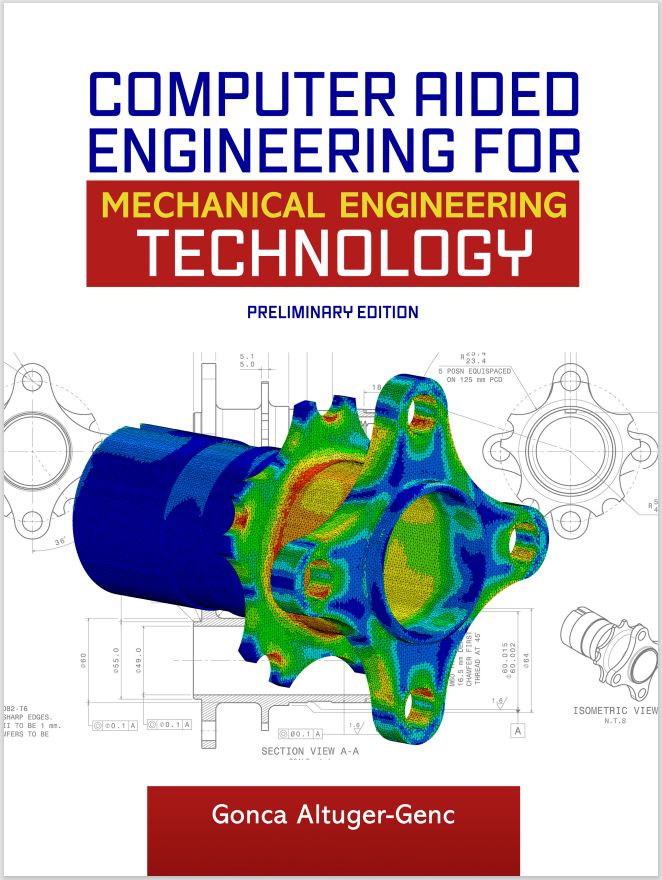
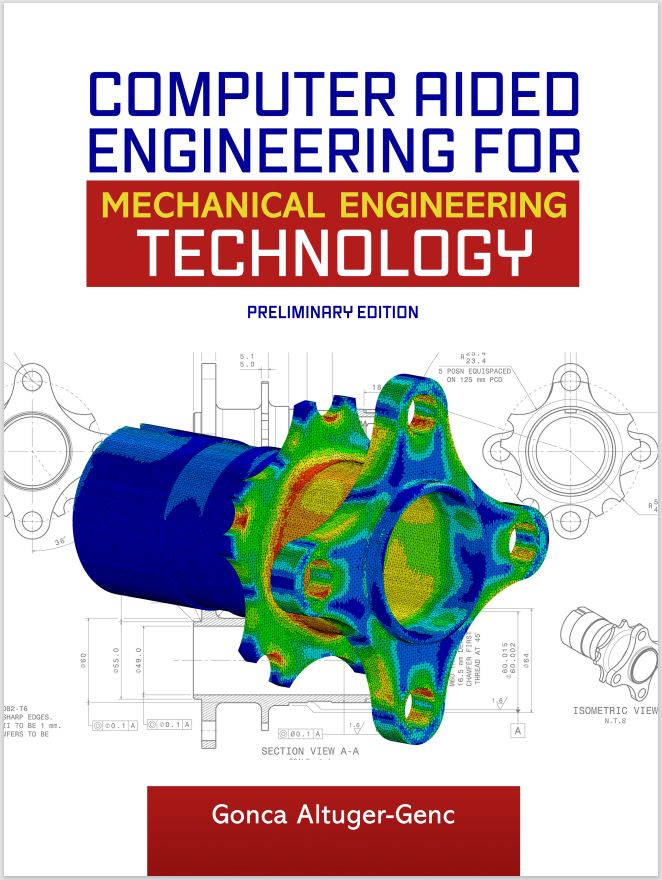
Computer Aided Engineering for Mechanical Engineering Technology, Preliminary Edition
Edition: 0
Copyright: 2024
Pages: 88
Choose Your Format
Choose Your Platform | Help Me Choose


Ebook
$30.00 USD
Computer Aided Engineering for Mechanical Engineering Technology provides a practical introduction to computer-aided engineering (CAE) and finite element analysis (FEA) using Autodesk Inventor Professional and Autodesk Inventor Nastran. Designed for mechanical engineering technology students, the text combines engineering theory with hands-on, step-by-step tutorials that teach readers how to create models, define materials and constraints, generate meshes, run simulations, and interpret engineering results. Through a series of progressively challenging lessons and exercises, students explore linear and nonlinear stress analysis, assembly analysis, contact modeling, and the effects of loading conditions, material selection, and mesh refinement on stress, displacement, and safety factor. The book also introduces the mathematical foundations of finite element analysis through matrix algebra, Gaussian elimination, and stiffness matrix methods, helping students connect simulation software with the engineering principles behind it. Emphasizing critical thinking, comparison of simulation outcomes, and real-world engineering applications, the text equips learners with the analytical and technical skills needed to evaluate mechanical designs and make informed engineering decisions.
Chapter 1 – Static Stress Analysis with Inventor Professional 2023
Lesson 1.1 – Static Stress Analysis of a Circular Cross-section Beam
Exercise 1.1 – Changing the Loading Conditions for Lesson 1.1
Exercise 1.2 – Changing the Material for Lesson 1.1
Lesson 1.2 – Static Stress Analysis of a Square Cross-Section Cantilever Beam
Exercise 1.3 – Changing the Mesh Settings of a Circular Cross-Sectional Beam
Chapter 2 – Linear Static Analysis with Autodesk Inventor Nastran
Lesson 2.1 – Linear Static Analysis of a Rectangular Plate
Exercise 2.1 Changing the Loading Conditions for Lesson 2.1
Lesson 2.2 Linear Static Analysis of a Rectangular Plate with Holes
Exercise 2.2 Changing the Loading Conditions for Lesson 2.2
Exercise 2.3 Comparison of the outcomes from Exercise 2.1 and Exercise 2.2
Chapter 3 – Nonlinear Static Stress Analysis with Autodesk Inventor Nastran
Lesson 3.1 Nonlinear Static Stress Analysis of a Hook
Exercise 3.1 Comparison of Linear versus Nonlinear Stress Analysis of a Hook
Exercise 3.2 Comparison of Linear and Nonlinear Stress Analysis of a Hook Under Extreme Loading Conditions
Lesson 3.2 Observation of Linear and Nonlinear Behavior in the Stress Analysis of a Hook
Exercise 3.3 Linear and Nonlinear Behavior in Displacement and Safety Factor Outcomes
Chapter 4 – Linear and Nonlinear Stress Analysis for Assemblies with Autodesk Nastran
Lesson 4.1 Static Stress Analysis for an Assembly with Autodesk Inventor
Exercise 4.1 Comparison of Linear and Nonlinear Stress Analysis Outcomes for Assembly
Lesson 4.2 Comparative Contact Type Analysis in Linear Static Analysis of Assemblies
Exercise 4.2 Comparison of Bonded and Sliding/No Separation Contact Analysis
Chapter 5 – Matrix Algebra and Solving Simultaneous Linear Equations with Gaussian Elimination Method
Lesson 5.1 – Introduction to Matrix Algebra
Lesson 5.2 – Summation, Subtraction, and Multiplication of Matrices
Exercise 5.1 Matrix Summation, Subtraction, and Multiplication Operations
Lesson 5.3 – Gaussian Elimination Method
Exercise 5.2 Finding the Unknown Values with Gaussian Elimination Technique -1
Exercise 5.3 Finding the Unknown Values with Gaussian Elimination Technique -2
Chapter 6 – Finite Element Modeling and Stiffness Matrix
Lesson 6.1 Introduction to Stiffness Matrix for Beam and Bar Elements
Exercise 6.1 Solving the Stiffness Matrix for Two-Bar Element System in Series
Exercise 6.2 Solving the Stiffness Matrix for two Bar elements in Parallel
Exercise 6.3 Solving the Stiffness Matrix for Complex Systems
Lesson 6.2 Solving Bar and Beam Systems with Stiffness Matrix versus Finite Element Modeling with Nastran

Dr. Gonca Altuger-Genc holds a PhD and Master of Engineering degrees in Mechanical Engineering from Stevens Institute of Technology, and Bachelor of Science in Mechanical Engineering Degree from Eskisehir Osmangazi University. Dr. Altuger-Genc is currently an Associate Professor in Mechanical Engineering Technology Department, and previously served as Graduate Program Coordinator for the MS Technology Management program in the School of Engineering Technology. Prior to joining Farmingdale State College, Dr. Altuger-Genc served as Lecturer in Plastics Engineering Department at UMass Lowell, and Teaching Assistant at Stevens Institute of Technology.
Dr. Altuger-Genc's research interests are incorporation of AI in engineering and engineering technology curriculum, developing machine learning systems in engineering education platforms, simulation-aided online teaching practices, developing discrete event simulation models for manufacturing and assembly lines optimization and maintenance scheduling.
Computer Aided Engineering for Mechanical Engineering Technology provides a practical introduction to computer-aided engineering (CAE) and finite element analysis (FEA) using Autodesk Inventor Professional and Autodesk Inventor Nastran. Designed for mechanical engineering technology students, the text combines engineering theory with hands-on, step-by-step tutorials that teach readers how to create models, define materials and constraints, generate meshes, run simulations, and interpret engineering results. Through a series of progressively challenging lessons and exercises, students explore linear and nonlinear stress analysis, assembly analysis, contact modeling, and the effects of loading conditions, material selection, and mesh refinement on stress, displacement, and safety factor. The book also introduces the mathematical foundations of finite element analysis through matrix algebra, Gaussian elimination, and stiffness matrix methods, helping students connect simulation software with the engineering principles behind it. Emphasizing critical thinking, comparison of simulation outcomes, and real-world engineering applications, the text equips learners with the analytical and technical skills needed to evaluate mechanical designs and make informed engineering decisions.
Chapter 1 – Static Stress Analysis with Inventor Professional 2023
Lesson 1.1 – Static Stress Analysis of a Circular Cross-section Beam
Exercise 1.1 – Changing the Loading Conditions for Lesson 1.1
Exercise 1.2 – Changing the Material for Lesson 1.1
Lesson 1.2 – Static Stress Analysis of a Square Cross-Section Cantilever Beam
Exercise 1.3 – Changing the Mesh Settings of a Circular Cross-Sectional Beam
Chapter 2 – Linear Static Analysis with Autodesk Inventor Nastran
Lesson 2.1 – Linear Static Analysis of a Rectangular Plate
Exercise 2.1 Changing the Loading Conditions for Lesson 2.1
Lesson 2.2 Linear Static Analysis of a Rectangular Plate with Holes
Exercise 2.2 Changing the Loading Conditions for Lesson 2.2
Exercise 2.3 Comparison of the outcomes from Exercise 2.1 and Exercise 2.2
Chapter 3 – Nonlinear Static Stress Analysis with Autodesk Inventor Nastran
Lesson 3.1 Nonlinear Static Stress Analysis of a Hook
Exercise 3.1 Comparison of Linear versus Nonlinear Stress Analysis of a Hook
Exercise 3.2 Comparison of Linear and Nonlinear Stress Analysis of a Hook Under Extreme Loading Conditions
Lesson 3.2 Observation of Linear and Nonlinear Behavior in the Stress Analysis of a Hook
Exercise 3.3 Linear and Nonlinear Behavior in Displacement and Safety Factor Outcomes
Chapter 4 – Linear and Nonlinear Stress Analysis for Assemblies with Autodesk Nastran
Lesson 4.1 Static Stress Analysis for an Assembly with Autodesk Inventor
Exercise 4.1 Comparison of Linear and Nonlinear Stress Analysis Outcomes for Assembly
Lesson 4.2 Comparative Contact Type Analysis in Linear Static Analysis of Assemblies
Exercise 4.2 Comparison of Bonded and Sliding/No Separation Contact Analysis
Chapter 5 – Matrix Algebra and Solving Simultaneous Linear Equations with Gaussian Elimination Method
Lesson 5.1 – Introduction to Matrix Algebra
Lesson 5.2 – Summation, Subtraction, and Multiplication of Matrices
Exercise 5.1 Matrix Summation, Subtraction, and Multiplication Operations
Lesson 5.3 – Gaussian Elimination Method
Exercise 5.2 Finding the Unknown Values with Gaussian Elimination Technique -1
Exercise 5.3 Finding the Unknown Values with Gaussian Elimination Technique -2
Chapter 6 – Finite Element Modeling and Stiffness Matrix
Lesson 6.1 Introduction to Stiffness Matrix for Beam and Bar Elements
Exercise 6.1 Solving the Stiffness Matrix for Two-Bar Element System in Series
Exercise 6.2 Solving the Stiffness Matrix for two Bar elements in Parallel
Exercise 6.3 Solving the Stiffness Matrix for Complex Systems
Lesson 6.2 Solving Bar and Beam Systems with Stiffness Matrix versus Finite Element Modeling with Nastran
Dr. Gonca Altuger-Genc holds a PhD and Master of Engineering degrees in Mechanical Engineering from Stevens Institute of Technology, and Bachelor of Science in Mechanical Engineering Degree from Eskisehir Osmangazi University. Dr. Altuger-Genc is currently an Associate Professor in Mechanical Engineering Technology Department, and previously served as Graduate Program Coordinator for the MS Technology Management program in the School of Engineering Technology. Prior to joining Farmingdale State College, Dr. Altuger-Genc served as Lecturer in Plastics Engineering Department at UMass Lowell, and Teaching Assistant at Stevens Institute of Technology.
Dr. Altuger-Genc's research interests are incorporation of AI in engineering and engineering technology curriculum, developing machine learning systems in engineering education platforms, simulation-aided online teaching practices, developing discrete event simulation models for manufacturing and assembly lines optimization and maintenance scheduling.