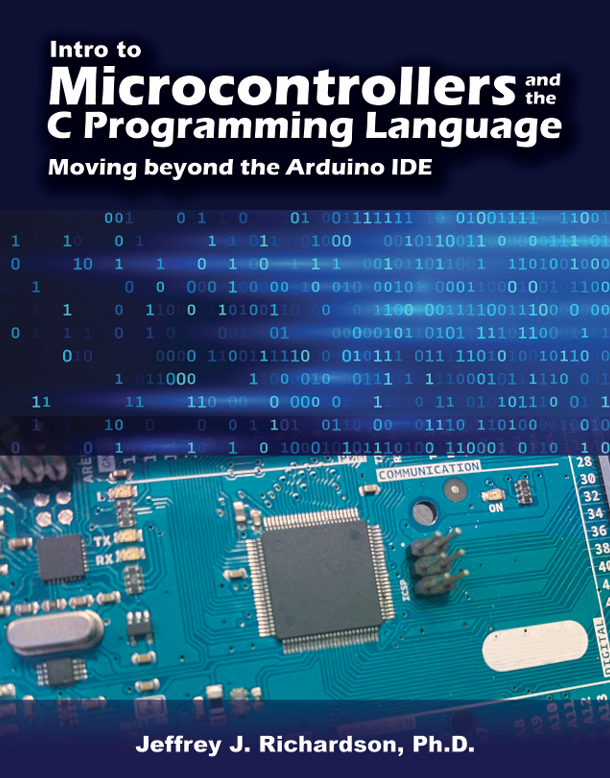
Intro to Microcontrollers and the C Programming Language: Moving beyond the Arduino IDE

Edition: 1

Copyright: 2026

Pages: 522

Choose Your Format

Ebook

$85.00 USD

ISBN 9798385199402

Details Electronic Delivery EBOOK 180 days

This textbook is designed to teach introductory microcontroller topics through an integrated and practical approach. Carefully chosen examples are utilized to introduce the microcontroller topics in a way that allows the reader to create practical applications immediately upon reading a section that are applicable to a wide range of audiences. Then, the next section will build upon the previous section to create the next application. Eventually, the reader will have the ability to create complex applications with a wide range of practical uses.

The C programming language is taught along the way to create the applications. A meticulous approach is followed to teach the C programming language to take the mystery out of learning how to create C programs at an introductory level for use with the AVR family of microcontrollers and the Microchip AVR Studio IDE. The C language for embedded microcontroller systems is different from C programming for personal computers. Experienced C programmers should notice the similarities and differences between the applications of the language, but experience is not required. This textbook will cover everything that one needs to know in order to develop microcontroller applications using the C programming language.

This textbook covers a wide range of topics from basic input and output operations to serial communication, pulse width modulation, analog and digital conversions, how to interface with sensors, and how to utilize devices like stepper motors, servo motors, and LCD displays, just to mention some of the topics. However, this textbook is not a complete guide to everything one might want or need to know about microcontrollers. As stated earlier, this textbook is designed to be an introductory textbook. The programs developed and presented are designed to illustrate a very structured approach to application development. Real-time applications and real-time operating systems are beyond the scope of this textbook. While an introduction to serial interrupt service routines is included at the end of the book, this textbook does not provide comprehensive coverage of microcontroller interrupts and interrupt-based applications.

Preface
About the Author
Chapter 1 Introduction
1.0 Introduction
1.1 What Is a Microcontroller?
  1.1.1 Central Processing Unit
  1.1.2 Memory
  1.1.3 Input/Output
  1.1.4 Embedded Microcontroller Software
1.2 A Brief History of Microcontrollers
1.3 High-Level Versus Low-Level Programming Languages
1.4 Setting the Stage
  1.4.1 Overview
  1.4.2 Introduction to Creating Microcontroller Projects
  1.4.3 Just-in-Time Education With a Spiral Approach
  1.4.4 The Process
  1.4.5 Problem Statement and Project Description
  1.4.6 Introduction to I/O Diagrams
  1.4.7 Introduction to Algorithms
  1.4.8 Introduction to Flowcharts
  1.4.9 Translating Flowcharts into C Code
  1.4.10 Getting the C Code from the Flowchart
  1.4.11 Building the Hardware
  1.4.12 Downloading and Testing the Code
1.5 Getting Started
  1.5.1 Introduction
  1.5.2 Picking a Microcontroller
  1.5.3 Picking an IDE
  1.5.4 Downloading Programs Into the Microcontroller
  1.5.5 Terminal Program for Serial Communication
1.6 Solving Problems With Microcontrollers

Chapter 2 Input and Output Operations
2.0 Introduction
2.1 Input/Output (I/O) Operations
  2.1.1 The Data Direction Register
  2.1.2 The Port Register
  2.1.3 First Output Programs
  2.1.4 Reading Inputs Through the PIN Register
  2.1.5 Creating an Echo Program
  2.1.6 Configuring Port Pull-Up Resistors
2.2 Illustrated Guide to Creating Your First Program
  2.2.1 Introduction
  2.2.2 Creating a New Project
  2.2.3 Downloading Your Code From AVR Studio
2.3 Testing the Program
  2.3.1 Second Test Program
2.4 Number Systems Used With Microcontrollers
  2.4.1 Using Hexadecimal Numbers Instead of Binary Numbers
2.5 Digital Signals
  2.5.1 Sourcing Versus Sinking Outputs
  2.5.2 Why Do We Care About Sourcing or Sinking Current?
  2.5.3 Active High Versus Active Low Outputs
  2.5.4 Modern Totem Pole Outputs
  2.5.5 What Are Pull-Up Resistors?
  2.5.6 Are There Pull-Down Resistors?
  2.5.7 How Much Current Can We Supply or Source?
  2.5.8 How Much Power Does a Microcontroller Require to Operate?
  2.5.9 General Notes about I/O Pins
2.6 Summary

Chapter 3 Serial Communications
3.0 Introduction
3.1 Introduction to Standard Input and Output
  3.1.1 First STDIO Test Program
  3.1.2 Utilizing Cool Terminal
3.2 Using Serial Data in Programs
  3.2.1 The Basics of Printf
  3.2.2 Displaying Formatted Numbers With Printf
  3.2.3 Additional Modifiers
  3.2.4 Receiving Formatted Numbers With Scanf
3.3 Serial Data Protocol
  3.3.1 ASCII Data
3.4 USART Control and Status Registers
  3.4.1 USART Control and Status Register B
  3.4.2 USART Control and Status Register C
  3.4.3 USART Control and Status Register A
  3.4.4 The USART Data Register
  3.4.5 Configuring the BAUD Rate
  3.4.6 Separating Values Into High and Low Bytes
  3.4.7 Manually Calculating the UBRR Values
  3.4.8 Baud Rate Sampling Error
  3.4.9 Low-Level Serial Functions
  3.4.10 Common Oscillator Values
  3.4.11 USART Double-Speed Mode
  3.4.12 Utilizing Excel for Calculations
  3.4.13 Baud Rates and Hidden Delays
3.5 Summary

Chapter 4 Problem-Solving
4.0 Introduction
  4.0.1 True Versus False
  4.0.2 Relational Operators
4.1 Introduction to Flowcharts
  4.1.1 Simple and Complicated Processes
  4.1.2 Basic Decisions
  4.1.3 Loops
4.2 Creating Output Sequences
  4.2.1 Example 1: Left Traffic Sign
  4.2.2 Creating Delays
  4.2.3 Following the Process
  4.2.4 Example 2: Right Traffic Sign
4.3 Using Inputs to Control Program Flow
  4.3.1 Example 1: Selectable Right or Left Traffic Sign
  4.3.2 Example 2: Creating a Countdown Tree
  4.3.3 Example 3: Pushbutton Controlled Lights
4.4 Measuring Time
  4.4.1 Example 1: Timing a Pushbutton Press
  4.4.2 Example 2: Timing a Pushbutton Press with a Display
  4.4.3 Example 3: Small-Scale Race Track Timer
  4.4.4 Testing and Code Refinements
4.5 Troubleshooting With Printf
4.6 Summary

Chapter 5 Interfacing With Hardware
5.0 Introduction
5.1 Shifting Data
  5.1.1 Basic Overview of the Shift Left
  5.1.2 Introduction to Type Casting
  5.1.3 Example 1: Output Patterns by Shifting Left
  5.1.4 Basic Overview of the Shift Right
  5.1.5 Example 2: Output Patterns by Shifting Right
5.2 The Bitwise Complement
  5.2.1 Example 1: Complementing an Output Pattern
  5.2.2 Example 2: Selectively Complementing a Port Value
  5.2.3 Example 3: Selectively Complementing a Port Value
  5.2.4 Example 4: Selectively Complementing a Port Value
  5.2.5 Example 5: Complementing Input Values
  5.2.6 The C Language Order of Precedence
  5.2.7 Example 6: Electronic Dice
  5.2.8 Utilizing LEDs in Our Designs
  5.2.9 Storing Arrays in Code Space
5.3 The Bitwise AND
  5.3.1 Example 1: Isolating Single Input Pins
  5.3.2 Example 2: Isolating Multiple Input Pins
  5.3.3 Example 3: Turning Off Individual Bits
5.4 The Bitwise OR
  5.4.1 Example 1: Setting an Output Port Pin
  5.4.2 Creating a Set Bit Macro
  5.4.3 Creating a Clear Bit Macro
  5.4.4 Example 2: Updated Light Controller
  5.4.5 Setting Control Register Bits Through Bit Positions
5.5 Summary

Chapter 6 Stepper Motors
6.0 Introduction
6.1 Controlling Unipolar Stepper Motors
  6.1.1 Example 1: Spinning Decision-Maker
  6.1.2 Homing a Stepper Motor
  6.1.3 Half Step Drive
  6.1.4 Wave Drive Mode
  6.1.5 Unipolar Stepper Motors Without Gearboxes
6.2 Interfacing With Bipolar Stepper Motors
  6.2.1 The EasyDriver Stepper Motor Driver Board
  6.2.2 Example 1: Automatic Fish Feeder
  6.2.3 Using #define With Macros
  6.2.4 Controlling Unipolar Stepper Motors as Bipolar Stepper Motors
6.3 Summary

Chapter 7 Serially Controlled Devices
7.0 Introduction
7.1 GUI-Controlled Devices
  7.1.1 Example 1: GUI-Controlled Lights
7.2 Serial LCDs
  7.2.1 Example 2: Basic LCD Usage
  7.2.2 Controlling the Cursor Placement
  7.2.3 Newhaven LCD Cursor Placement
  7.2.4 Planning LCDs
  7.2.5 Cursor Control Commands
  7.2.6 Placing the Cursor Using Column and Row
  7.2.7 The Serial_LCD.c File
  7.2.8 Using an LCD to Help Generate Random Numbers
  7.2.9 LCDs in Practice
  7.2.10 LCD Refresh Rates
  7.2.11 Example 3: Displaying and Updating Numeric Values on the LCD
  7.2.12 Example 4: Displaying Floating-Point Values on the LCD
7.3 Summary

Chapter 8 Analog-to-Digital Conversions
8.0 Introduction
  8.0.1 Example 1: Interfacing With an Analog Temperature Sensor
  8.0.2 ADC Reference Voltage
  8.0.3 What Is ADC Resolution?
  8.0.4 Bits Versus Resolution
  8.0.5 External Voltage References
8.1 Configuring the Analog-to-digital Converter
  8.1.1 Configuring the Analog Reference Voltage
  8.1.2 Configuring the ADC for 8 or 10 Bits
  8.1.3 Selecting the Desired Input Pin
  8.1.4 ADC Clock Source
  8.1.5 Enabling the Analog-to-Digital Converter
  8.1.6 The init_ADC() Function
8.2 Reading Analog-to-digital Converter Values
  8.2.1 Example 2: First ADC Test Program
  8.2.2 Example 3: Reading Three Different ADC Input Values
  8.2.3 The 8-Bit ADC Functions
  8.2.4 Creating 10-Bit ADC Functions
  8.2.5 How Does a Successive Approximation ADC Work?
  8.2.6 The ADC Controversy Revisited
8.3 Practical Applications Using the Analog-to-Digital Converter
  8.3.1 Example 4: Reading an Analog Pressure Sensor for Water
  8.3.2 Example 5: Reading an Analog Air Pressure Sensor
  8.3.3 Example 6: Analog Distance Sensor
8.4 Data Manipulation and Floating-Point Math
  8.4.1 Implications of 8-Bit Math
  8.4.2 Promotion of Variable Types
  8.4.3 Two’s Complement Notation
  8.4.4 Sign Extension
  8.4.5 Floating-Point Math
  8.4.6 Example 1: 10-Bit Distance Measurements
  8.4.7 Importance of Intermediate Values
  8.4.8 Promotion of Variables
  8.4.9 Evaluation Trees
  8.4.10 Rearranging Equations
  8.4.11 Implications of Floating-Point Math
  8.4.12 Using ADC Values Instead of Voltage Values
  8.4.13 Avoiding Floating-Point Math by Inflating Values
8.5 Summary

Chapter 9 Timers
9.0 Introduction
9.1 Measuring Time
9.2 LIDAR Distance Measurement
9.3 Measuring Frequency
9.4 Measuring Distance Using an Ultrasonic Sensor
9.5 Creating Time Delays
9.6 Measuring Delay Times
9.7 Creating a 10 µs Delay
9.8 Calculating Time Delay Errors
9.9 Creating a Real-Time Clock (RTC)
9.10 Summary

Chapter 10 Pulse-Width Modulation
10.0 Introduction
10.1 Fast Pulse-Width Modulation
  10.1.1 What Is Fast PWM?
  10.1.2 Controlling the Output Frequency
  10.1.3 Configuring the Hardware to Create Fast PWM Outputs
  10.1.4 Controlling the Motor Speed With a Potentiometer
10.2 Active-Low PWM Output Control Signals
  10.2.1 Controlling an RGB LED
  10.2.2 Pushbutton Control Over the PWM Outputs
  10.2.3 Controlling a Strip of LEDs
10.3 Advanced PWM Mode 14
  10.3.1 Introduction to PWM Mode 14
  10.3.2 Using Scanf to Control the Output Pulse Width
  10.3.3 Timer Prescale Versus Servo Control
  10.3.4 Controlling a Servo Motor With a Potentiometer
  10.3.5 Creating a “Do Nothing” or “Useless Box”
10.4 Final Thoughts on Pulse-Width Modulation
  10.4.1 Minimum Output Frequency of PWM Mode 14
  10.4.2 Maximum Output Frequency for PWM Mode 14
10.5 Summary

Chapter 11 Mini Project
11.0 Introduction
11.1 The Basic MP3 Player
11.2 The Rogue Robotics MP3 Player Module
11.3 Expanded MP3 Player Module
11.4 Playing the Next and Previous Songs
11.5 Displaying Song Titles on Your LCD
11.6 Converting the MP3 Player Into a Jukebox
11.7 The GD3300 MP3 Player Module
11.8 Automatic GD3300 MP3 Player Module
11.9 Summary

Appendix A Enabling Line Numbers in the Compiler
Appendix B Printing Floating-Point Numbers
Appendix C Building a Lights and Switches Board

1. Toggle Switches
2. Pushbuttons
3. LEDs

Appendix D Creating the “Y” Cables
 

Jeffrey Richardson

Dr. Jeffrey J. Richardson holds a Ph.D. in Engineering Education from Purdue University, West Lafayette, Indiana. He also holds master’s and bachelor’s degrees in Electrical Engineering Technology from Purdue University, with a concentration in microcontrollers. He has been teaching electronics courses in the School of Engineering Technology at Purdue University for more than 20 years. His research interests include stu dent interest, student motivation, and providing students with a choice in the assignments they complete as part of their educational experiences.

This textbook is designed to teach introductory microcontroller topics through an integrated and practical approach. Carefully chosen examples are utilized to introduce the microcontroller topics in a way that allows the reader to create practical applications immediately upon reading a section that are applicable to a wide range of audiences. Then, the next section will build upon the previous section to create the next application. Eventually, the reader will have the ability to create complex applications with a wide range of practical uses.

The C programming language is taught along the way to create the applications. A meticulous approach is followed to teach the C programming language to take the mystery out of learning how to create C programs at an introductory level for use with the AVR family of microcontrollers and the Microchip AVR Studio IDE. The C language for embedded microcontroller systems is different from C programming for personal computers. Experienced C programmers should notice the similarities and differences between the applications of the language, but experience is not required. This textbook will cover everything that one needs to know in order to develop microcontroller applications using the C programming language.

This textbook covers a wide range of topics from basic input and output operations to serial communication, pulse width modulation, analog and digital conversions, how to interface with sensors, and how to utilize devices like stepper motors, servo motors, and LCD displays, just to mention some of the topics. However, this textbook is not a complete guide to everything one might want or need to know about microcontrollers. As stated earlier, this textbook is designed to be an introductory textbook. The programs developed and presented are designed to illustrate a very structured approach to application development. Real-time applications and real-time operating systems are beyond the scope of this textbook. While an introduction to serial interrupt service routines is included at the end of the book, this textbook does not provide comprehensive coverage of microcontroller interrupts and interrupt-based applications.

Preface
About the Author
Chapter 1 Introduction
1.0 Introduction
1.1 What Is a Microcontroller?
  1.1.1 Central Processing Unit
  1.1.2 Memory
  1.1.3 Input/Output
  1.1.4 Embedded Microcontroller Software
1.2 A Brief History of Microcontrollers
1.3 High-Level Versus Low-Level Programming Languages
1.4 Setting the Stage
  1.4.1 Overview
  1.4.2 Introduction to Creating Microcontroller Projects
  1.4.3 Just-in-Time Education With a Spiral Approach
  1.4.4 The Process
  1.4.5 Problem Statement and Project Description
  1.4.6 Introduction to I/O Diagrams
  1.4.7 Introduction to Algorithms
  1.4.8 Introduction to Flowcharts
  1.4.9 Translating Flowcharts into C Code
  1.4.10 Getting the C Code from the Flowchart
  1.4.11 Building the Hardware
  1.4.12 Downloading and Testing the Code
1.5 Getting Started
  1.5.1 Introduction
  1.5.2 Picking a Microcontroller
  1.5.3 Picking an IDE
  1.5.4 Downloading Programs Into the Microcontroller
  1.5.5 Terminal Program for Serial Communication
1.6 Solving Problems With Microcontrollers

Chapter 2 Input and Output Operations
2.0 Introduction
2.1 Input/Output (I/O) Operations
  2.1.1 The Data Direction Register
  2.1.2 The Port Register
  2.1.3 First Output Programs
  2.1.4 Reading Inputs Through the PIN Register
  2.1.5 Creating an Echo Program
  2.1.6 Configuring Port Pull-Up Resistors
2.2 Illustrated Guide to Creating Your First Program
  2.2.1 Introduction
  2.2.2 Creating a New Project
  2.2.3 Downloading Your Code From AVR Studio
2.3 Testing the Program
  2.3.1 Second Test Program
2.4 Number Systems Used With Microcontrollers
  2.4.1 Using Hexadecimal Numbers Instead of Binary Numbers
2.5 Digital Signals
  2.5.1 Sourcing Versus Sinking Outputs
  2.5.2 Why Do We Care About Sourcing or Sinking Current?
  2.5.3 Active High Versus Active Low Outputs
  2.5.4 Modern Totem Pole Outputs
  2.5.5 What Are Pull-Up Resistors?
  2.5.6 Are There Pull-Down Resistors?
  2.5.7 How Much Current Can We Supply or Source?
  2.5.8 How Much Power Does a Microcontroller Require to Operate?
  2.5.9 General Notes about I/O Pins
2.6 Summary

Chapter 3 Serial Communications
3.0 Introduction
3.1 Introduction to Standard Input and Output
  3.1.1 First STDIO Test Program
  3.1.2 Utilizing Cool Terminal
3.2 Using Serial Data in Programs
  3.2.1 The Basics of Printf
  3.2.2 Displaying Formatted Numbers With Printf
  3.2.3 Additional Modifiers
  3.2.4 Receiving Formatted Numbers With Scanf
3.3 Serial Data Protocol
  3.3.1 ASCII Data
3.4 USART Control and Status Registers
  3.4.1 USART Control and Status Register B
  3.4.2 USART Control and Status Register C
  3.4.3 USART Control and Status Register A
  3.4.4 The USART Data Register
  3.4.5 Configuring the BAUD Rate
  3.4.6 Separating Values Into High and Low Bytes
  3.4.7 Manually Calculating the UBRR Values
  3.4.8 Baud Rate Sampling Error
  3.4.9 Low-Level Serial Functions
  3.4.10 Common Oscillator Values
  3.4.11 USART Double-Speed Mode
  3.4.12 Utilizing Excel for Calculations
  3.4.13 Baud Rates and Hidden Delays
3.5 Summary

Chapter 4 Problem-Solving
4.0 Introduction
  4.0.1 True Versus False
  4.0.2 Relational Operators
4.1 Introduction to Flowcharts
  4.1.1 Simple and Complicated Processes
  4.1.2 Basic Decisions
  4.1.3 Loops
4.2 Creating Output Sequences
  4.2.1 Example 1: Left Traffic Sign
  4.2.2 Creating Delays
  4.2.3 Following the Process
  4.2.4 Example 2: Right Traffic Sign
4.3 Using Inputs to Control Program Flow
  4.3.1 Example 1: Selectable Right or Left Traffic Sign
  4.3.2 Example 2: Creating a Countdown Tree
  4.3.3 Example 3: Pushbutton Controlled Lights
4.4 Measuring Time
  4.4.1 Example 1: Timing a Pushbutton Press
  4.4.2 Example 2: Timing a Pushbutton Press with a Display
  4.4.3 Example 3: Small-Scale Race Track Timer
  4.4.4 Testing and Code Refinements
4.5 Troubleshooting With Printf
4.6 Summary

Chapter 5 Interfacing With Hardware
5.0 Introduction
5.1 Shifting Data
  5.1.1 Basic Overview of the Shift Left
  5.1.2 Introduction to Type Casting
  5.1.3 Example 1: Output Patterns by Shifting Left
  5.1.4 Basic Overview of the Shift Right
  5.1.5 Example 2: Output Patterns by Shifting Right
5.2 The Bitwise Complement
  5.2.1 Example 1: Complementing an Output Pattern
  5.2.2 Example 2: Selectively Complementing a Port Value
  5.2.3 Example 3: Selectively Complementing a Port Value
  5.2.4 Example 4: Selectively Complementing a Port Value
  5.2.5 Example 5: Complementing Input Values
  5.2.6 The C Language Order of Precedence
  5.2.7 Example 6: Electronic Dice
  5.2.8 Utilizing LEDs in Our Designs
  5.2.9 Storing Arrays in Code Space
5.3 The Bitwise AND
  5.3.1 Example 1: Isolating Single Input Pins
  5.3.2 Example 2: Isolating Multiple Input Pins
  5.3.3 Example 3: Turning Off Individual Bits
5.4 The Bitwise OR
  5.4.1 Example 1: Setting an Output Port Pin
  5.4.2 Creating a Set Bit Macro
  5.4.3 Creating a Clear Bit Macro
  5.4.4 Example 2: Updated Light Controller
  5.4.5 Setting Control Register Bits Through Bit Positions
5.5 Summary

Chapter 6 Stepper Motors
6.0 Introduction
6.1 Controlling Unipolar Stepper Motors
  6.1.1 Example 1: Spinning Decision-Maker
  6.1.2 Homing a Stepper Motor
  6.1.3 Half Step Drive
  6.1.4 Wave Drive Mode
  6.1.5 Unipolar Stepper Motors Without Gearboxes
6.2 Interfacing With Bipolar Stepper Motors
  6.2.1 The EasyDriver Stepper Motor Driver Board
  6.2.2 Example 1: Automatic Fish Feeder
  6.2.3 Using #define With Macros
  6.2.4 Controlling Unipolar Stepper Motors as Bipolar Stepper Motors
6.3 Summary

Chapter 7 Serially Controlled Devices
7.0 Introduction
7.1 GUI-Controlled Devices
  7.1.1 Example 1: GUI-Controlled Lights
7.2 Serial LCDs
  7.2.1 Example 2: Basic LCD Usage
  7.2.2 Controlling the Cursor Placement
  7.2.3 Newhaven LCD Cursor Placement
  7.2.4 Planning LCDs
  7.2.5 Cursor Control Commands
  7.2.6 Placing the Cursor Using Column and Row
  7.2.7 The Serial_LCD.c File
  7.2.8 Using an LCD to Help Generate Random Numbers
  7.2.9 LCDs in Practice
  7.2.10 LCD Refresh Rates
  7.2.11 Example 3: Displaying and Updating Numeric Values on the LCD
  7.2.12 Example 4: Displaying Floating-Point Values on the LCD
7.3 Summary

Chapter 8 Analog-to-Digital Conversions
8.0 Introduction
  8.0.1 Example 1: Interfacing With an Analog Temperature Sensor
  8.0.2 ADC Reference Voltage
  8.0.3 What Is ADC Resolution?
  8.0.4 Bits Versus Resolution
  8.0.5 External Voltage References
8.1 Configuring the Analog-to-digital Converter
  8.1.1 Configuring the Analog Reference Voltage
  8.1.2 Configuring the ADC for 8 or 10 Bits
  8.1.3 Selecting the Desired Input Pin
  8.1.4 ADC Clock Source
  8.1.5 Enabling the Analog-to-Digital Converter
  8.1.6 The init_ADC() Function
8.2 Reading Analog-to-digital Converter Values
  8.2.1 Example 2: First ADC Test Program
  8.2.2 Example 3: Reading Three Different ADC Input Values
  8.2.3 The 8-Bit ADC Functions
  8.2.4 Creating 10-Bit ADC Functions
  8.2.5 How Does a Successive Approximation ADC Work?
  8.2.6 The ADC Controversy Revisited
8.3 Practical Applications Using the Analog-to-Digital Converter
  8.3.1 Example 4: Reading an Analog Pressure Sensor for Water
  8.3.2 Example 5: Reading an Analog Air Pressure Sensor
  8.3.3 Example 6: Analog Distance Sensor
8.4 Data Manipulation and Floating-Point Math
  8.4.1 Implications of 8-Bit Math
  8.4.2 Promotion of Variable Types
  8.4.3 Two’s Complement Notation
  8.4.4 Sign Extension
  8.4.5 Floating-Point Math
  8.4.6 Example 1: 10-Bit Distance Measurements
  8.4.7 Importance of Intermediate Values
  8.4.8 Promotion of Variables
  8.4.9 Evaluation Trees
  8.4.10 Rearranging Equations
  8.4.11 Implications of Floating-Point Math
  8.4.12 Using ADC Values Instead of Voltage Values
  8.4.13 Avoiding Floating-Point Math by Inflating Values
8.5 Summary

Chapter 9 Timers
9.0 Introduction
9.1 Measuring Time
9.2 LIDAR Distance Measurement
9.3 Measuring Frequency
9.4 Measuring Distance Using an Ultrasonic Sensor
9.5 Creating Time Delays
9.6 Measuring Delay Times
9.7 Creating a 10 µs Delay
9.8 Calculating Time Delay Errors
9.9 Creating a Real-Time Clock (RTC)
9.10 Summary

Chapter 10 Pulse-Width Modulation
10.0 Introduction
10.1 Fast Pulse-Width Modulation
  10.1.1 What Is Fast PWM?
  10.1.2 Controlling the Output Frequency
  10.1.3 Configuring the Hardware to Create Fast PWM Outputs
  10.1.4 Controlling the Motor Speed With a Potentiometer
10.2 Active-Low PWM Output Control Signals
  10.2.1 Controlling an RGB LED
  10.2.2 Pushbutton Control Over the PWM Outputs
  10.2.3 Controlling a Strip of LEDs
10.3 Advanced PWM Mode 14
  10.3.1 Introduction to PWM Mode 14
  10.3.2 Using Scanf to Control the Output Pulse Width
  10.3.3 Timer Prescale Versus Servo Control
  10.3.4 Controlling a Servo Motor With a Potentiometer
  10.3.5 Creating a “Do Nothing” or “Useless Box”
10.4 Final Thoughts on Pulse-Width Modulation
  10.4.1 Minimum Output Frequency of PWM Mode 14
  10.4.2 Maximum Output Frequency for PWM Mode 14
10.5 Summary

Chapter 11 Mini Project
11.0 Introduction
11.1 The Basic MP3 Player
11.2 The Rogue Robotics MP3 Player Module
11.3 Expanded MP3 Player Module
11.4 Playing the Next and Previous Songs
11.5 Displaying Song Titles on Your LCD
11.6 Converting the MP3 Player Into a Jukebox
11.7 The GD3300 MP3 Player Module
11.8 Automatic GD3300 MP3 Player Module
11.9 Summary

Appendix A Enabling Line Numbers in the Compiler
Appendix B Printing Floating-Point Numbers
Appendix C Building a Lights and Switches Board

1. Toggle Switches
2. Pushbuttons
3. LEDs

Appendix D Creating the “Y” Cables
 

Jeffrey Richardson

Dr. Jeffrey J. Richardson holds a Ph.D. in Engineering Education from Purdue University, West Lafayette, Indiana. He also holds master’s and bachelor’s degrees in Electrical Engineering Technology from Purdue University, with a concentration in microcontrollers. He has been teaching electronics courses in the School of Engineering Technology at Purdue University for more than 20 years. His research interests include stu dent interest, student motivation, and providing students with a choice in the assignments they complete as part of their educational experiences.